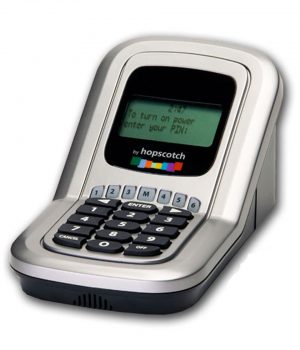
Time-Scout Support Securing Electrical Cords into the Time-Scout Monitor Time-Scout
Monitor comes with a plug locking mechanism designed to keep kids from simply unplugging the device you are trying to control and plugging it into another wall outlet. This is how it works: Locking the Time-Scout Monitor: Simply plug the electronic device you want to control
into the power outlet on the Time-Scout Monitor as shown in the following picture.
With the plug inserted into the power outlet on the
Time-Scout power box, slide the thumb lock into the lock position (toward the padlock symbol) until it "snaps" into place (shown in picture to the right). At this point, the plug cannot be removed from the power box until a parent unlocks it. For additional locking security, a small lock (not included), such as a luggage lock, can be placed through the hole that is now exposed in the thumb lock.
With the plug locked into place, the Time-Scout Monitor can be plugged into any
standard household power outlet (120 volt) near the electronic device you want to control. Unlocking the Time-Scout Monitor: To unplug the power cord of the video game player, computer monitor, TV, or other device from the Time-Scout Monitor power box, it must be in the unlock
position. To move the thumb lock to the unlock position, gently insert the end of a paper clip into the release hole located on the top-front of the Time-Scout power box (hole closest to padlock symbol) and slide the thumb lock as shown below. When the thumb lock is in the unlock position (sticking out the left side of the power box) the plug can be removed.
|